7 Questions to Answer Before Building Your First Website

Before building your first website, decide who it serves, what visitors should do, which pages they need, what proof you can show, how people will find it, who will maintain it, and how you will check that it works. Answering these seven questions is more useful than choosing a template first. A one-page site may be enough; a bigger site should earn every extra page.
This is a planning checklist, not a ranking of website builders. The questions follow the order in which an early decision affects the next one. You can write the answers on a single sheet of paper before opening any design tool.
1. Who is the site for?
Write down one specific visitor and the problem that brings them to the page. “Everyone” is too broad to guide a headline, an example, or a navigation menu. A neighborhood repair shop might choose local homeowners who need an appointment; a portfolio might serve hiring managers looking for relevant work.
Try this sentence: “This site helps [visitor] decide [one thing].” If it feels vague, interview a potential reader or review the questions people already ask you. The answer will shape both the copy and the level of detail.
2. What should that visitor do next?
Choose one primary action: request a quote, book a visit, read a guide, join a mailing list, or contact you. The action should match the visitor's stage. Someone comparing options may need clear examples before a sales form; someone ready to book needs visible contact details.
Make the next step easy to spot and describe it plainly. “See pricing” tells readers more than “Explore.” If a page has several competing buttons, decide which action truly matters and give the others less visual weight.
3. Which pages are actually necessary?
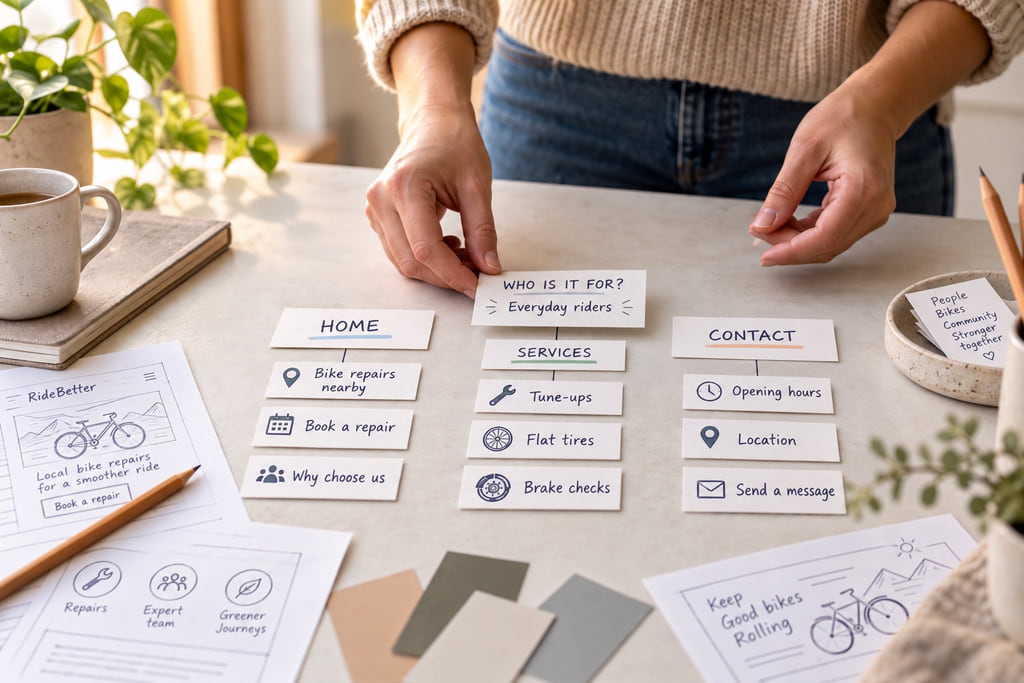
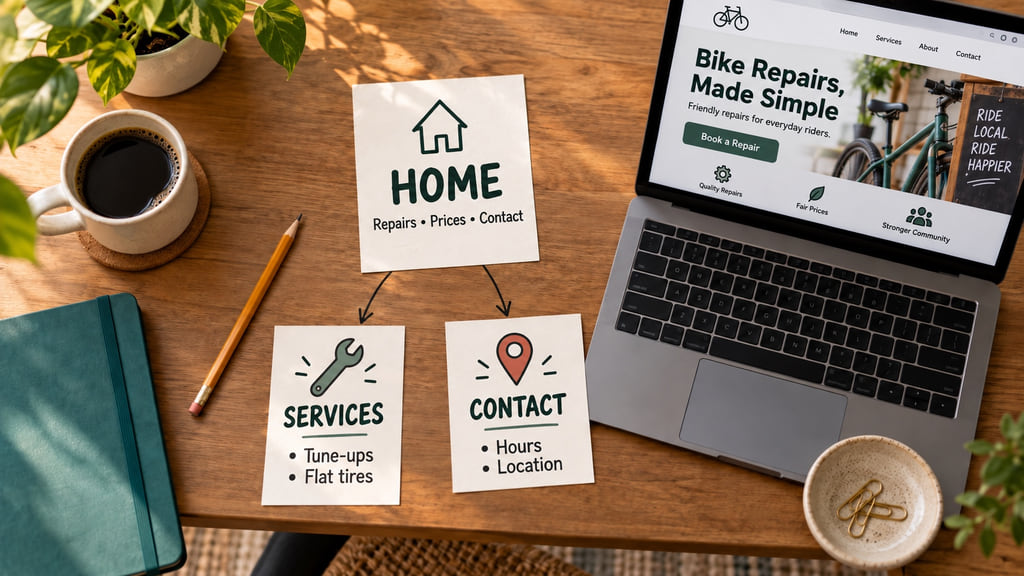
Start with the visitor's questions, then group answers that belong together. A simple service site may need a home page, a service page, examples, and a contact page. A personal project may need only a clear landing page and an about section. The right count depends on the information, not a universal template.
Sketch a route from the first page to the main action. If a page repeats another page without answering a distinct question, combine them. Give each important page a clear title and a reason to exist.
4. What content and proof do you already have?
Gather the words, photos, examples, policies, and contact details before polishing the layout. Real project samples, clear process descriptions, and accurate contact information usually help a reader more than decorative claims. Get permission to use photos and testimonials, and never invent a customer quote to fill a design block.
Draft the headline as an answer to the visitor's question. Put supporting details nearby: what you offer, who it suits, any meaningful limits, and what happens after someone clicks. If a claim needs evidence, add the source or remove the claim.
5. How will people find the site?
A memorable domain helps people return, but discovery also depends on useful page titles, descriptive headings, links from relevant places, and content that answers real questions. Search traffic is one possible channel; direct sharing, a business profile, email, and social accounts may matter more for a small new site.
Choose the channels you can actually maintain. Give each page a descriptive title and a distinct purpose. For a structured introduction to website creation, web design, and digital marketing, https://tilda.education/ offers free articles and courses. The resource is published by the Tilda website builder, so treat its product examples as examples from that platform, not as a neutral comparison of every builder.
6. Who will keep the site accurate?
A site is a continuing responsibility. Assign someone to check contact details, broken links, outdated examples, privacy information, and any changing prices or hours. Write down where the domain is registered, who can edit the site, and how account access can be recovered. Keep those details in a secure place rather than on a public page.
Choose a system the maintainer can use confidently. A feature-rich platform is of little value if a simple update waits months because nobody knows how to make it. The initial build should include a realistic maintenance routine.
7. How will you know it works?
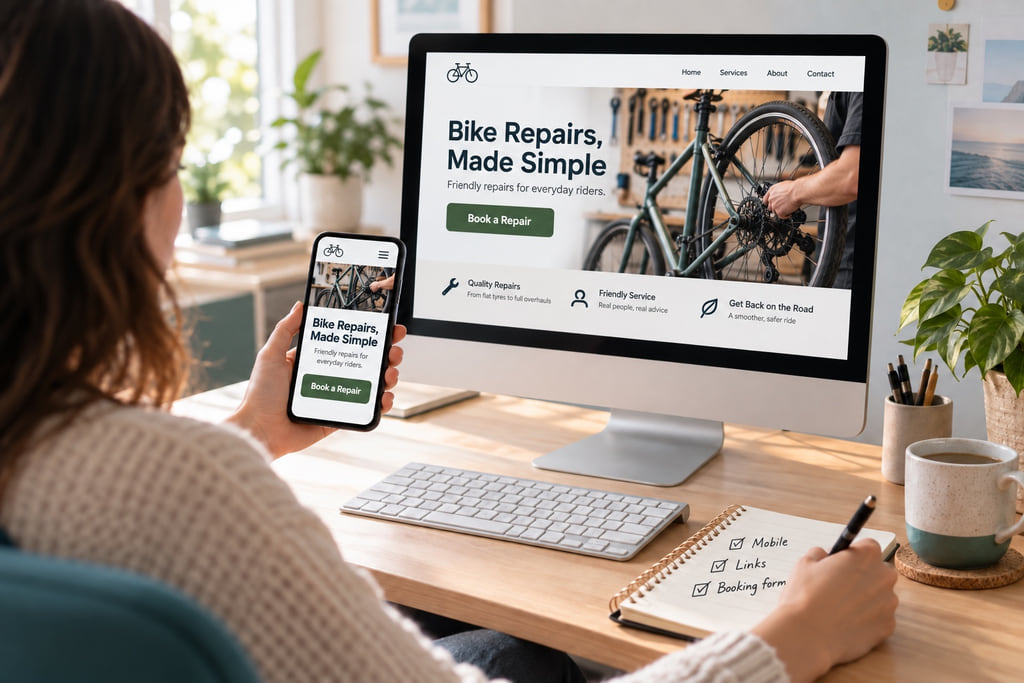
Test the site as a visitor, beginning with the main action. Open it on a phone and a desktop screen. Check that text remains readable, navigation works with a keyboard, images have useful alternatives when they carry information, forms give a clear result, and links lead where their labels promise.
Ask someone unfamiliar with the project to find an answer and complete the main action. Watch where they hesitate, then fix the wording or structure. A useful first measure is whether a real visitor can do the intended task; traffic counts alone cannot tell you that.
A short first-build plan
Write one sentence for the audience, one for the action, and a list of the questions the site must answer. Turn that list into the smallest useful page map, gather the necessary evidence and media, then build a draft. Review the draft on a phone, ask another person to use it, and revise before launch. You can add pages when a real reader need appears.
The strongest first website is rarely the one with the most features. It is the one where the intended visitor understands the offer, trusts the evidence, and can take the next step without guessing.